
Making sound with embedded Elixir: a DIY sound controller using Nerves




Subscribe to receive Elixir news to your inbox every two weeks.

Expand your skills
Download free e-books, watch expert tech talks, and explore open-source projects. Everything you need to grow as a developer - completely free.
This article shows how Nerves on Raspberry Pi can turn sensor-based installations and DIY synthesisers into more reliable, flexible, and fault-tolerant systems.
What happens when Arduino meets Elixir?
Arduino has long been popular among artists for making their pieces interactive and creating impressive sound and visual effects. After attending art exhibitions where such technologies were used, and experimenting with building a DIY synthesiser myself, I noticed that there are areas where introducing the Elixir layer would be really helpful. Especially since such systems use multiple sensors to interact with users and the external world, the risk of sensor failures, disconnection, and unreliable data arises. And here’s where Elixir, known for its fault tolerance, fits perfectly.
Let me show you how this works in practice. In previous posts about Arduino, I focused on receiving data from it via the laptop's UART port and processing it in Elixir to generate OSC messages. Here, I want to introduce Nerves on Raspberry Pi, which serves as the "brain" of the system and explain the advantages of such a choice.
The Controller Design
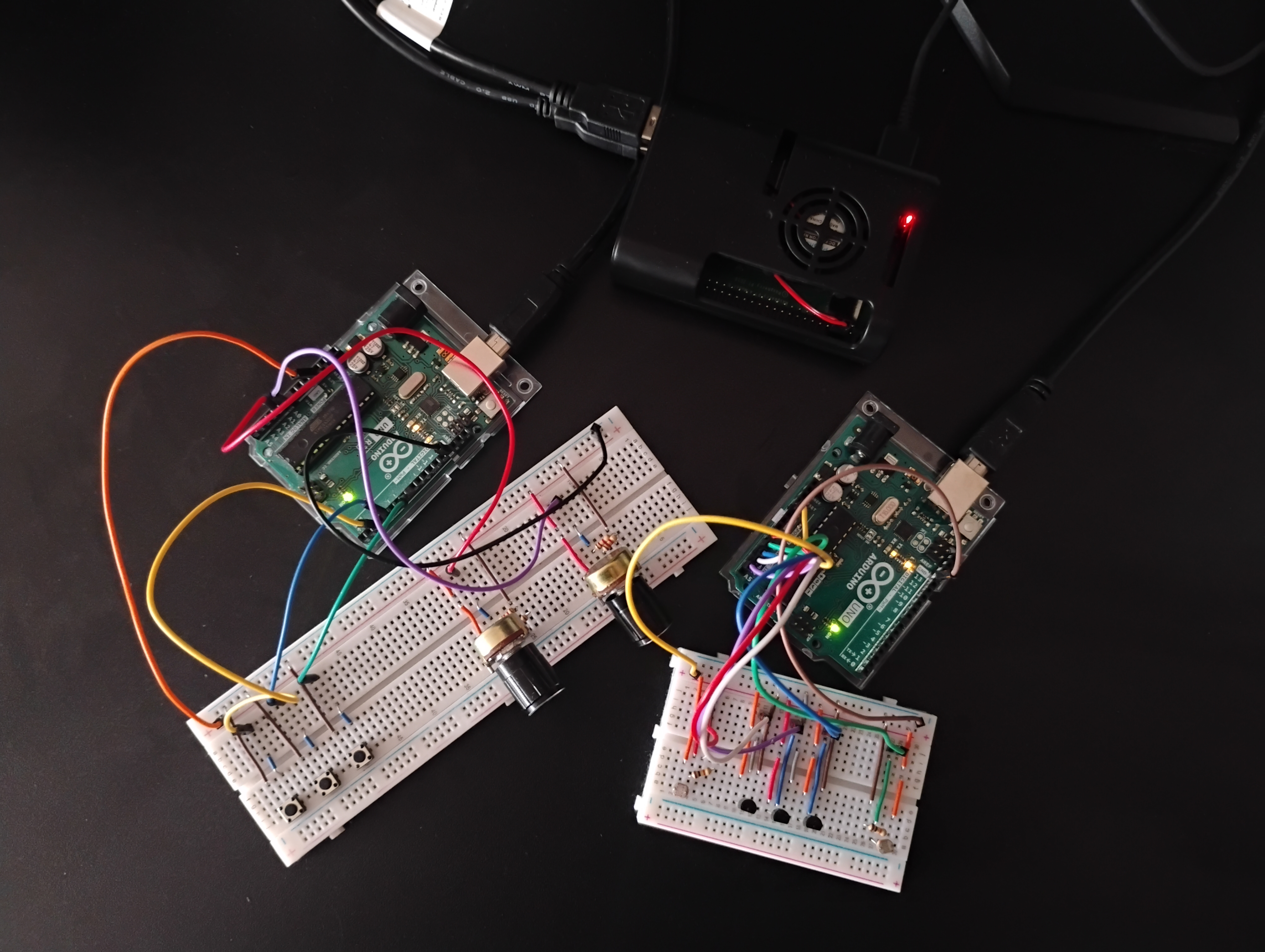
The Hardware Setup: Two Arduino Boards and Raspberry Pi running Nerves
My prototype combines 10 sensors split between two Arduino boards, which are connected to the Raspberry Pi running Nerves. The sensors fall into two categories (represented in separate Arduino boards):
Interactive board (user control):
- 3 buttons (BTN1/2/3) trigger musical notes (C, Eb, G)
- 2 potentiometers (POT1/2) control the release time and the filter cutoff

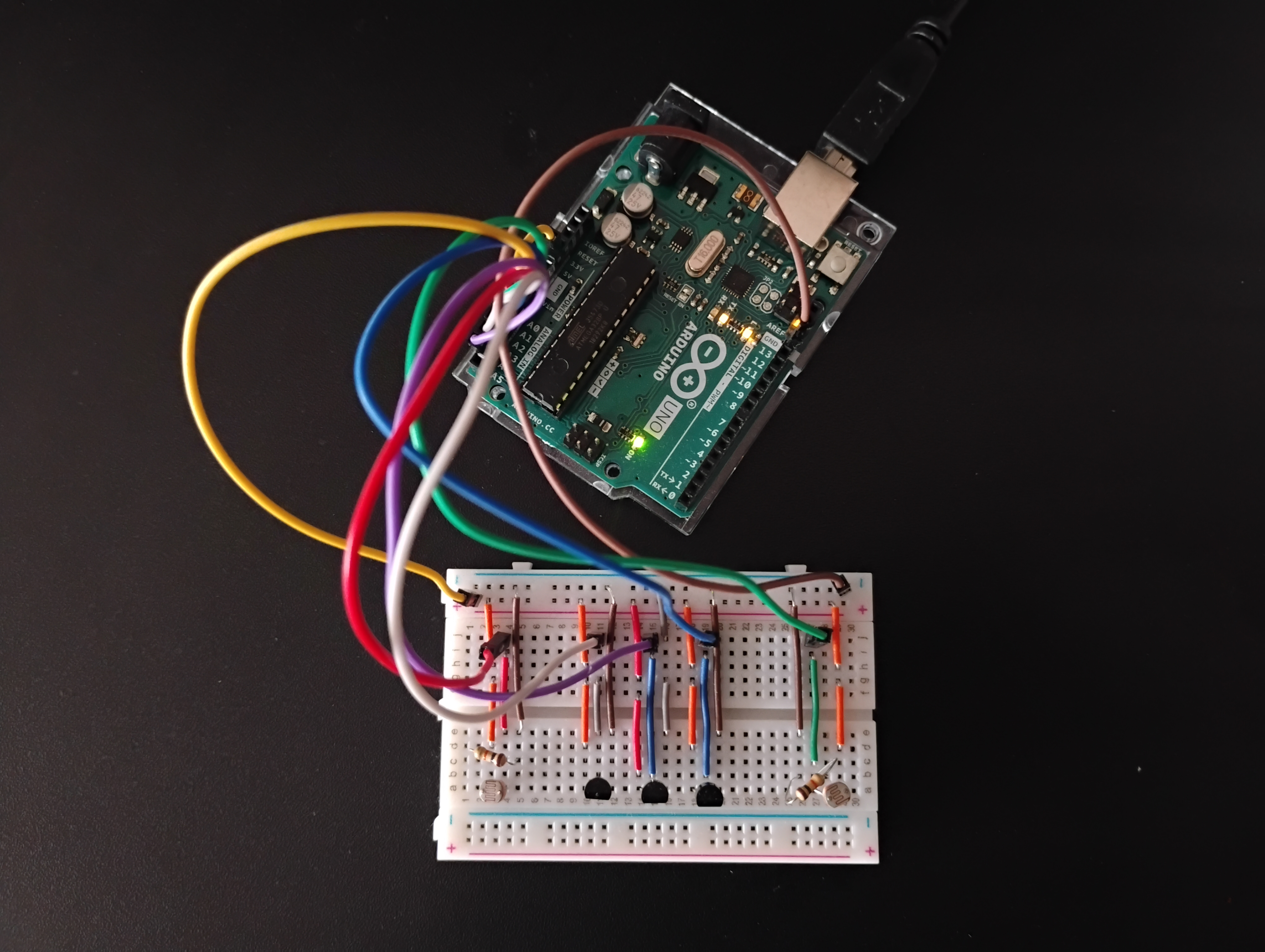
Environmental board (reacts to the outside world parameters like light and temperature):
- 2 photoresistors (LIGHT1/2) control note velocity and LFO depth
- 3 temperature sensors (TEMP1/2/3) drive reverb with triple modular redundancy
The whole architecture is quite simple. Arduino boards collect and send data via USB serial (UART) to the RPi running Nerves, which processes it and handles failure cases. Then, it’s connected to the output, which can be any device able to handle OSC messages, in this case, a laptop running PureData. This architecture allows adding more sensors and sensor boards or swapping the output devices, without changing the core "brain" logic.
The presentation of sounds generated by sensors
Why Elixir/Nerves shines here
The art installations and DIY modular synthesisers are ideal use cases to show the strengths of Elixir’s concurrency and fault tolerance. These advantages are especially apparent because such systems are:
- distributed - interconnected systems, not standalone objects
- temporary - moved between locations frequently
- long-running - without checks and human supervision
- experimental - existing between a prototype and a finished product
These unique constraints make such systems especially prone to sensor failures. Thus, it’s very important for them that, instead of crashing, they degrade gracefully and go on, even if with substitute data.
Even if the final goal is the finished object, like a synthesiser, the development can be greatly facilitated by such a „brain”. That’s something I experienced myself during this project. When I disconnect a sensor during testing, the system detects the failure and continues with fallback values. That lets me focus on sound making, especially when I test and tweak other sensors. Also, I can swap sensors, add new boards, or change the output without rewriting core logic, and see failures in real time.
Code architecture: from laptop to embedded
The code architecture follows the basic structure described in the earlier post, but adds process isolation for sensors. The system still uses Circuits.UART for sensor input and OSC messages as output. The main difference is that each sensor now has its own isolated process. This ensures failures in one of them don’t interrupt the whole system. Also, the system now runs on a Raspberry Pi using Nerves, Elixir’s embedded platform that provides a minimal Linux environment. Setting up and migrating to Nerves is quite straightforward. For details, see the Nerves getting started guide: https://hexdocs.pm/nerves/getting-started.html.
Let’s focus on the key changes here, starting with the way the sensors are started with the help of DynamicSupervisor which lets us start the ones that are actually used:
  defp start_sensor(sensor_key, data_source) do
    child_spec = {
      Sensor,
      [
        sensor_key: sensor_key,
        data_source: data_source,
        poll_interval_ms: poll_interval_ms(sensor_key),
        name: SensorRegistry.via_tuple(sensor_key)
      ]
    }

    case DynamicSupervisor.start_child(__MODULE__, child_spec) do
      {:ok, _pid} -> :ok
      {:error, {:already_started, _pid}} -> :ok
      {:error, reason} -> {:error, reason}
    end
  end
In Sensor module the main handle_infofunction looks as follows:
 def handle_info(:poll, state) do
    sensor_value = fetch_sensor_value(state.data_source, state.sensor_key)
    now_ms = System.system_time(:millisecond)
    is_timeout = timeout?(state.timestamp, now_ms)
    {suspect, suspect_reason} = check_suspect(state, sensor_value)

    maybe_handle_timeout(state, sensor_value, is_timeout)
    if healthy?(suspect, is_timeout), do: maybe_send_value(state, sensor_value)

    new_state = build_poll_state(state, sensor_value, now_ms, suspect, suspect_reason, is_timeout)
    Process.send_after(self(), :poll, state.poll_interval_ms)
    {:noreply, new_state}
  end
This polling loop does three things: reads incoming data, updates the state, and checks the failures. It uses the Process.send_after(self(), ...) strategy to ensure the check will repeat.
The fetch_sensor_valuefunction is the one subscribing to data readings from Arduino via Circuits.UART depending on data_source which can be :arduino_interactive or :arduino_environmental :
  defp fetch_sensor_value(data_source, sensor_key) do
    case ArduinoConnection.get_readings(data_source) do
      {:ok, readings} when is_map(readings) ->
        Map.get(readings, sensor_key)

      _ ->
        nil
    end
  end
ArduinoConnection implements the specifics of that, though I won’t get into the details here, as it was described in the earlier post. The one thing to notice is that I’ve simplified my data parsing by using the framing option:
  defp open_uart(port, baud) do
    framing = {Circuits.UART.Framing.Line, separator: "\n"}

    with {:ok, pid} <- Circuits.UART.start_link([]),
         :ok <- Circuits.UART.open(pid, port, speed: baud, active: true, framing: framing),
         :ok <- Circuits.UART.flush(pid, :both) do
      {:ok, pid}
    else
      {:error, :enoent} -> {:error, :enoent}
      other -> other
    end
  end
In the previous post, I described the intricacies of parsing, but now it’s no longer needed. It just works under the hood (see the details here: https://hexdocs.pm/circuits_uart/Circuits.UART.Framing.Line.html). So, now our parsing function looks as simple as that:
  def parse_sensor_data(data) do
    case Jason.decode(data) do
      {:ok, %{"sensor" => sensor, "value" => value}} ->
        {:ok, {sensor, value}}

      {:error, reason} ->
        {:error, reason}
    end
  end
end
When things go wrong: failure detection
Our polling handler also uses functions which seek and recover from failures. Let’s look at them. Here’s our maybe_handle_timeout function:
  defp timeout?(last_timestamp, current_timestamp) do
    time_since_last_read = current_timestamp - last_timestamp
    time_since_last_read > @timeout_ms
  end

  defp maybe_handle_timeout(%{timed_out: false} = state, _sensor_value, true) do
    Logger.warning("TIMEOUT TRIGGERED for #{state.sensor_key}!")
    handle_timeout(state.sensor_key, state.value)
  end

  defp maybe_handle_timeout(%{timed_out: true} = state, sensor_value, _is_timeout)
       when not is_nil(sensor_value) do
    Logger.warning("TIMEOUT CLEARED for #{state.sensor_key}!")
  end

  defp maybe_handle_timeout(_state, _sensor_value, _is_timeout), do: :ok

  defp handle_timeout(sensor_key = "BTN" <> _, _last_value) do
    Logger.info("Sending fallback: #{sensor_key} = 0")
    AudioEngine.handle(sensor_key, 0)
    :ok
  end

  defp handle_timeout(sensor_key, last_value) do
    fallback_value = last_value || AudioEngine.fallback_value(sensor_key)
    Logger.info("Sending fallback: #{sensor_key} = #{fallback_value}")
    AudioEngine.handle(sensor_key, fallback_value)
    :ok
  end
With that function, we can detect the cessation of incoming data (most commonly due to the crash or disconnection of the Arduino board). In timeout function, we check whether the difference between the last and current time of the sent value exceeds the set timeout. Then, we take the action: show the log and send the fallback value. When we discover a button failure, we can’t do much more than keep the 0 value and let the rest of the system continue. But for analog sensors, we can safely send the last known value.
The check_suspect is more specific. Here, we can detect whether the sensor was disconnected or broken. That won’t be handled by the timeout check, as in such cases, Arduino will still send noisy data we don't want.
  defp detect_suspect("POT" <> _, value)
       when is_integer(value) and value < @pot_disconnected_value do
    {:suspect, :disconnected}
  end

  defp detect_suspect("LIGHT" <> _, value)
       when is_integer(value) and value < @light_disconnected_value do
    {:suspect, :disconnected}
  end

  defp check_suspect(state, sensor_value) do
    case detect_suspect(state.sensor_key, sensor_value) do
      {:suspect, reason} ->
        unless state.suspect, do: Logger.warning("#{state.sensor_key} suspect: #{reason}")
        {true, reason}

      :ok ->
        if state.suspect, do: Logger.info("#{state.sensor_key} recovered from suspect")
        {false, nil}
    end
  end
In the case of photoresistors, it’s quite simple. When the photoresistor is disconnected, the pull-down resistor pulls the pin to ground, giving a reading near 0. And in our specific setup with natural lighting conditions, the value usually stays above 10, because the photoresistor and pull-down resistor (10 kΩ) form a voltage divider. So, setting the threshold (@light_disconnected_value) at 5 will detect disconnections.
Potentiometers present a different challenge. Their full range is 0-1023, so we can’t detect a failure by extreme values alone. The solution: add a series resistor between the potentiometer’s ground pin and GND. This way, we create a voltage divider, ensuring the reading stays above a given minimum value. I used the 2.2 kΩ resistor, which sets the minimum reading at ~30. It reduces the potentiometer’s effective range to 30-1023, but that’s negligible for controlling musical parameters such as release time.
The most complicated is the handling of temperature sensors with triple modular redundancy. This strategy can be helpful if the problem is not the disconnected sensor, but a broken one. In such cases, we’ll usually still receive data, but it’ll be invalid, so we need a way to determine if the value is incorrect. The strategy utilises three identical sensors placed side by side. We calculate the median of their values and detect outliers. The code is quite complicated, so for the sake of simple presentation, I’ll show only the main handler of TemperatureConsensus module:
  def handle_info(:check_consensus, state) do
    [t1, t2, t3] = Enum.map(@temp_keys, &get_sensor_value/1)
    new_state = process_vote(TMRVoting.vote(t1, t2, t3), state)

    schedule_next_check()
    {:noreply, new_state}
  end
As you can see, it periodically checks the values of temperature sensors (get_sensor_values function implements Sensor.read(sensor_key ) and processes with the TMR voting system. That way, if one of the sensors breaks (which is statistically most probable), we still get the correct values.
Summary
This post demonstrates the advantages of incorporating the RPi with Nerves as a “brain” layer of our system. Using isolated processes ensures the stability of the whole system. Also, we can see that fault tolerance here isn’t only about supervisors restarting processes, but also about detecting failures on many levels. It can be hardware-level detection (pull-down resistors revealing disconnections), software-level checks (suspect values and timeouts), or redundancy voting (TMR). Elixir’s process model and supervision tie these strategies together.
This approach extends beyond musical instruments and art installations. It can also be an ideal solution for other use cases, such as experimental sensor-based systems or pop-up IoT deployments. When something can break easily (because it’s temporary or makeshift), it’s probably a good candidate to try this strategy!
Want to power your product with Elixir? We’ve got you covered.
Related posts
Dive deeper into this topic with these related posts
You might also like
Discover more content from this category

There is a high chance that you have used lists, maps, keywords etc. for some reason or another, and if you used those enumerables, you had to iterate over them, build some data structures, transform them etc.

In most programming languages we often deal with instructions responsible for handling dependencies. Elixir is no different.

It's insightful session on Test-Driven Development (TDD) with LiveView. Gustavo shared practical techniques for using TDD to build reliable and efficient applications in Elixir, demonstrating how TDD can be simpler than you might imagine.